
In recent years, the mouse has overtaken the keyboard in popularity for office work. Research shows that we spend between 30% and 70% of our computer time "mousing". Despite this, the mouse is often regarded as unimportant. We pay hardly any attention to choosing a mouse, even though we sometimes use it for 6 to 8 hours a day. It's important to find a model that sits comfortably in your hand and doesn't cause neck and shoulder pain.
Problems caused by mousing
Moving the cursor with the mouse may seem like a simple action, but it actually requires a great many precise movements and control of the neck and arm muscles. We often unconsciously lift our fingers while using the mouse to avoid clicking by accident. This puts unnecessary strain on the extensor muscles.
Using a mouse that is positioned too far to the side, or working with unsupported arms, can lead to excessive tension in the deeper neck muscles, which can compress the blood vessels and nerves running to the arm and hand. This can result in a lack of oxygen and inadequate removal of waste products, leading to acidification, pain and inflammation.
Poor mouse use can cause various complaints, such as pain, tingling in the hands, tennis elbow, carpal tunnel syndrome, mouse arm, mouse wrist and other RSI (Repetitive Strain Injury) symptoms. That's why it's important to be aware of a good mouse position and correct mouse use to prevent these complaints.
Tips for healthy mouse use:
- Make sure there's enough space on your desk so you can move the mouse freely
- Work from your forearm, not your wrist
- Avoid mice that keep your arm in an outstretched position
- Make sure your forearm and elbow rest on your desktop or on the armrests of your chair
- Use the mouse as close to your body as possible
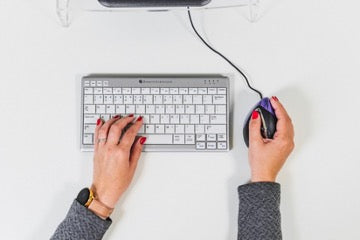
- If you have to use only the mouse for long periods, consider using a compact keyboard or slide your keyboard to one side
- Don't rest your hand on the mouse when you're not using it, as this causes unnecessary muscle tension
- Choose a mouse that suits the size of your hand
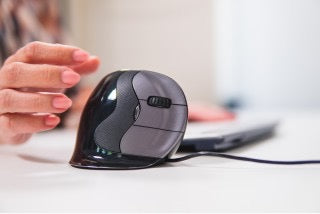
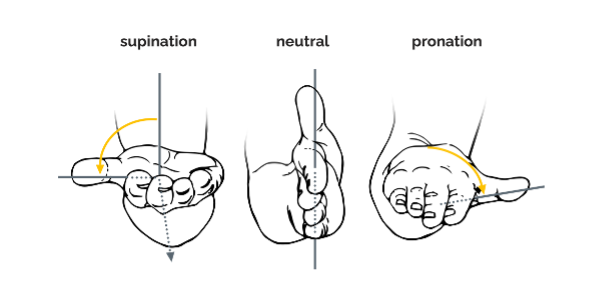
- Look for an ergonomic mouse that keeps your hand and fingers in a relaxed position
- Use keyboard shortcuts as much as possible
- Take regular micro-breaks and move your fingers, wrists, arms and shoulders to improve circulation.
View our range of ergonomic mice.